
CASE STUDY
Turn the tags off for the schematic plan. Turn them on to finish.
A tag system I built for a client: one schematic plan, one equipment plan, and the data inside every tag.
The problem
A client came to me for a consultation. He draws schematic plans of restaurant floor plans for his own clients.
The client approves the schematic plan. Only then did he have to go back and add a tag to every single piece of equipment, by hand.
That wasted time, and it caused mistakes. One missed or wrong tag means a wrong plan on the drawings.
What I built
I set him up with a system: every piece of equipment is a block with its tag inside.
While he works on the schematic plan, he turns the tag layer off. He moves the equipment blocks around and draws the schematic plan with no tag clutter.
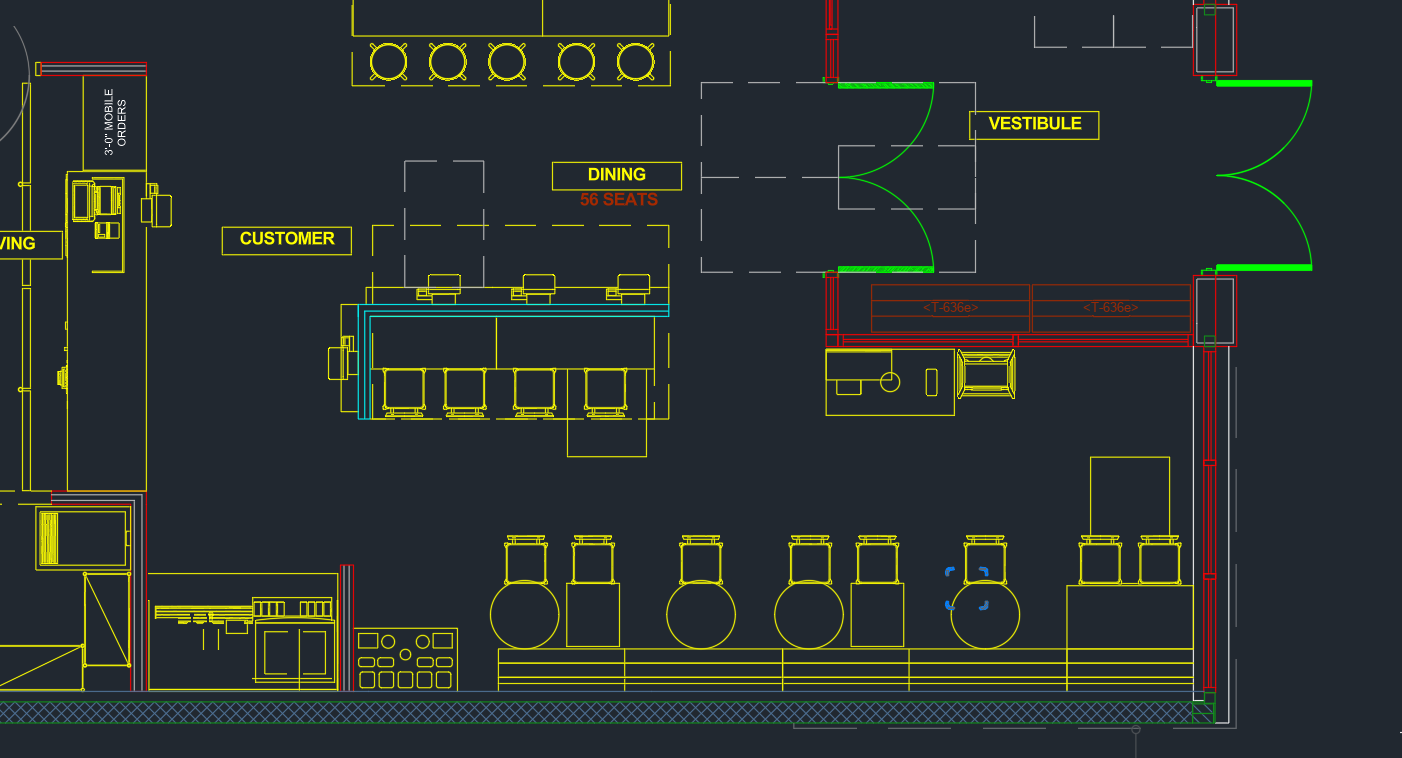
When the client approves the schematic plan, he turns the tag layer on. The equipment plan is done.
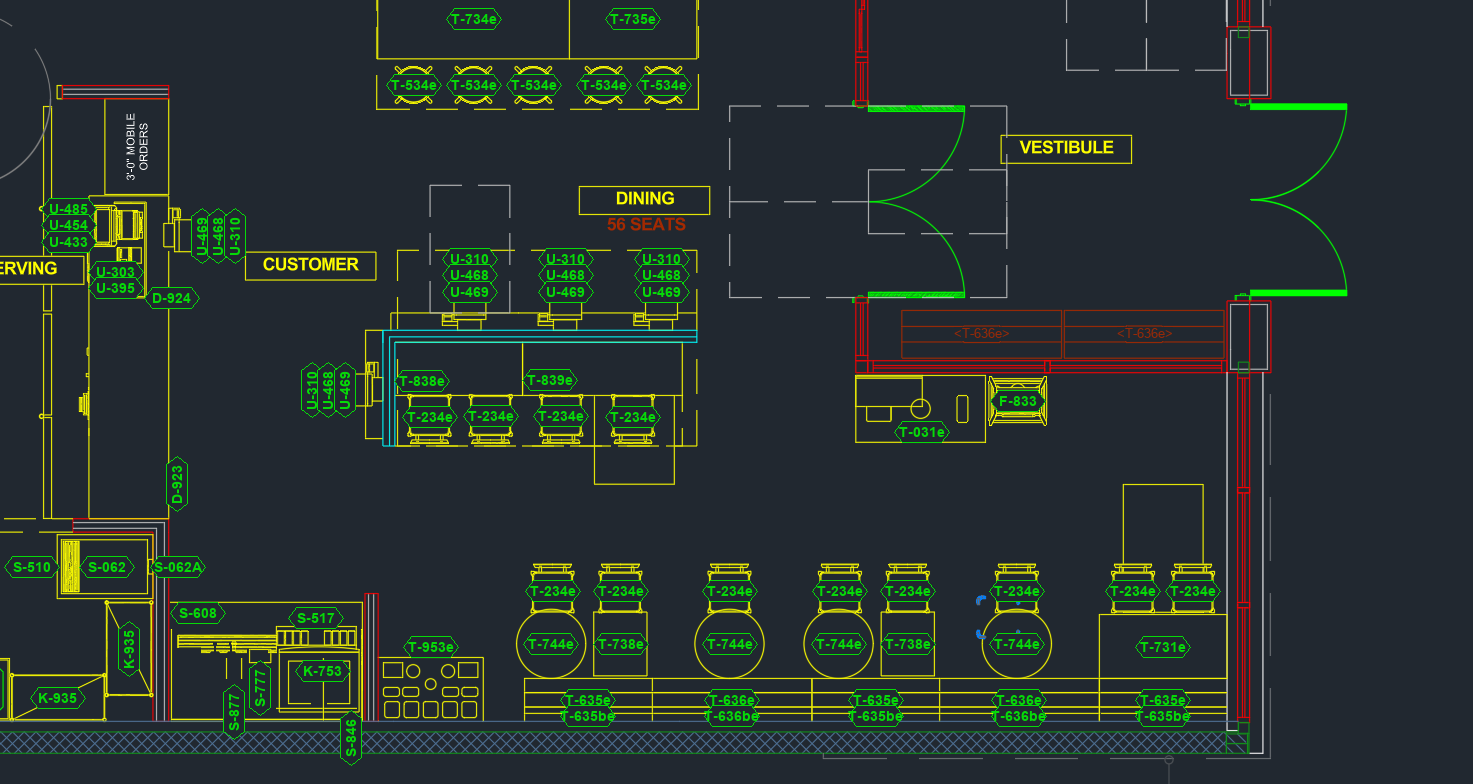
Smart tags
I also gave the tags smart data. Each tag carries information about its equipment.
That means he can use the tags to quickly build his equipment schedule sheet. He can build a second schedule for the power requirements on the electrical sheet too.
The result
- No more tagging every piece of equipment by hand after the schematic plan is approved.
- Fewer mistakes, because the tag moves with the block.
- The equipment schedule and the power schedule come from the same tags.
The same idea works for any plan where a schematic plan turns into a final drawing.
Have a schedule that eats your week?
Book a call. Tell me what you draw by hand today, and I will tell you if we can automate it.
Not ready for a consultation?
You can still get a similar tool. My LazyCAD plugin has a schedules tool. You save a table template once, select your blocks, and it builds the schedule for you. It is included with the Patreon membership.